




Dan Adamiak

Dan Adamiak · Product Designer · AI Product Builder

For years I made complex systems easier to use. Now
I build them, end

to end.

Every product has a reason to exist, a way it feels and
a way it runs. I work on all three.

Certified AI Product Builder · AI Product Heroes 2, certificate with distinction

Designed and built

Where design meets code: ideas I turned into working software.

In daily use01 / 04

Personal Dashboard

Why it exists

I tried the planners. None fit the way I work, so I built my own, and it keeps evolving with me.

“An assistant and project manager. When I come into the office, it tells me where we stand on our projects and what the next steps are.”

brief.md, v2.0 (translated from Polish)

Why it exists: I tried the planners. None fit the way I work, so I built my own, and it keeps evolving with me. The mascot: A small cloud that taps me on the shoulder It lives in the header as plain SVG and CSS. It blinks while all is quiet, tilts with a ? or a ! when something needs me, and sleeps in do-not-disturb mode while signals wait. Chief of Staff: An AI chief of staff that writes to me every morning On weekday mornings a scheduled AI agent reads my notes and task list and leaves a few short messages: an overdue report, a free slot, a deadline tomorrow. Each comes with a proposal I can add, park, snooze or dismiss. Guardrails: It can suggest. Only I can change anything. The agent talks to the app through a narrow door. A message can carry only two actions, add a task or dismiss, and a task appears only when I click. Its database account is read-only, and it never sees task descriptions.

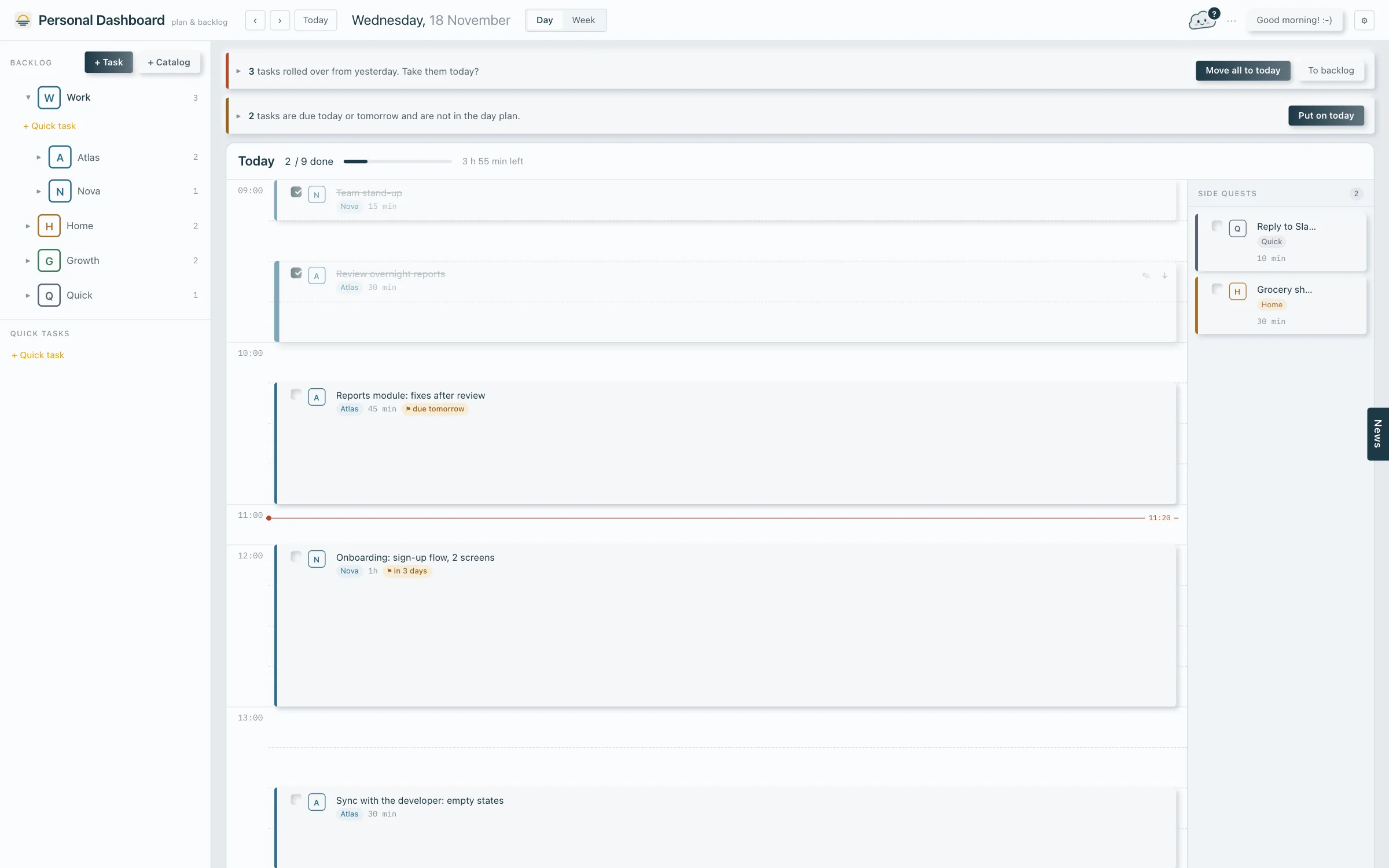
Personal Dashboard: day view with hourly plan, banners for rolled-over tasks and deadlines, backlog on the left and the mascot cloud in the header (interface labels translated from Polish)
In daily use

Personal Dashboard

“An assistant and project manager. When I come into the office, it tells me where we stand on our projects and what the next steps are.”

brief.md, v2.0 (translated from Polish)

  1. Personal Dashboard: day view with hourly plan, banners for rolled-over tasks and deadlines, backlog on the left and the mascot cloud in the header (interface labels translated from Polish)

    01 · Why it exists

    I tried the planners. None fit the way I work, so I built my own, and it keeps evolving with me.

    • The mascot cloud, awake and smilingCalm
    • The mascot cloud tilted, with a question mark badgeA question
    • The mascot cloud with an exclamation mark badgeImportant
    • The mascot cloud asleep, with ZzDo not disturb
    Four of its states, captured from the app. Desktop only for now.

    The mascot

    A small cloud that taps me on the shoulder

    It lives in the header as plain SVG and CSS. It blinks while all is quiet, tilts with a ? or a ! when something needs me, and sleeps in do-not-disturb mode while signals wait.

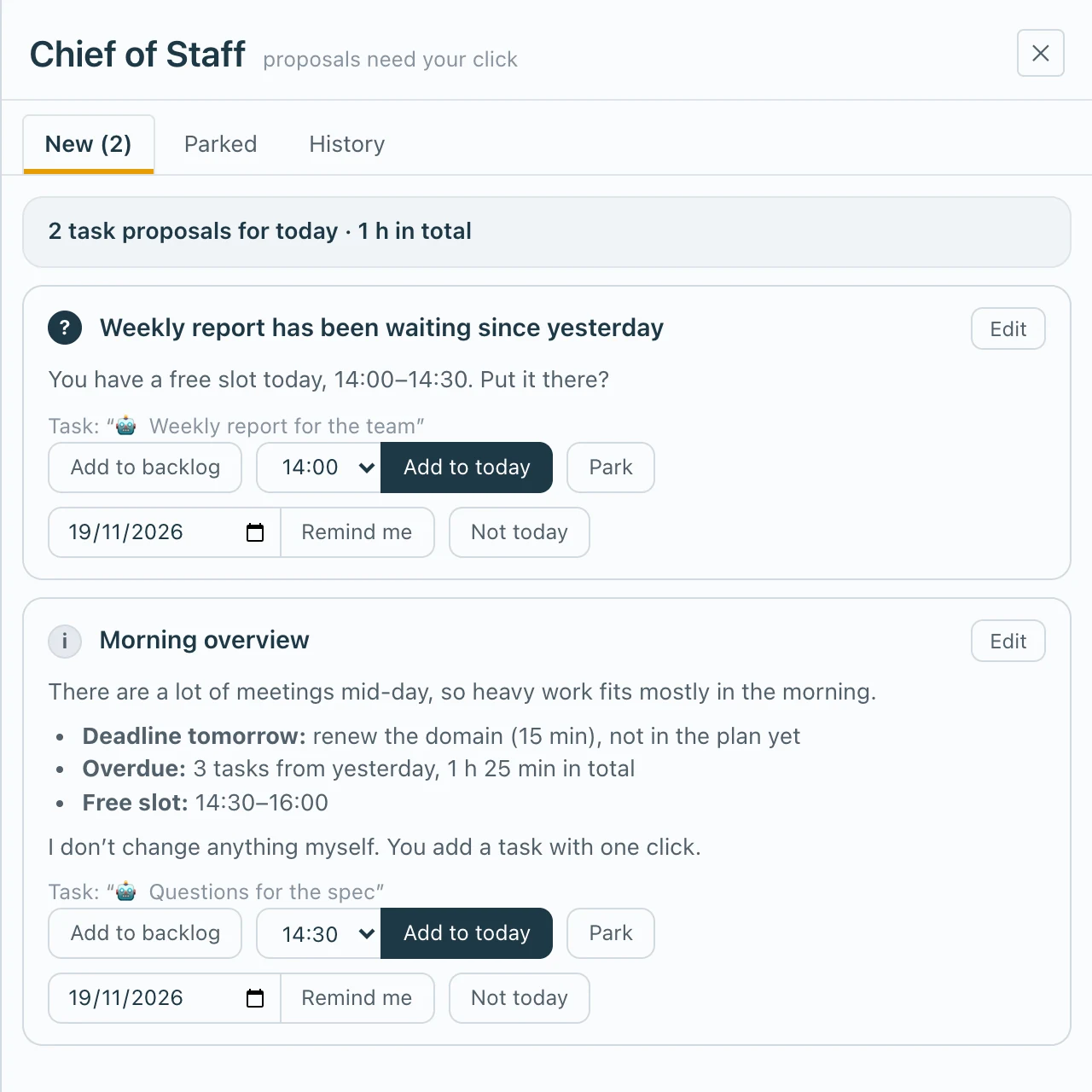
  2. The Chief of Staff drawer in Personal Dashboard: two proposals for today, each with add to backlog, add to today, park, snooze and dismiss buttons
    The drawer the cloud opens. Sample messages. The app is in Polish; labels translated for this page.

    Chief of Staff

    An AI chief of staff that writes to me every morning

    On weekday mornings a scheduled AI agent reads my notes and task list and leaves a few short messages: an overdue report, a free slot, a deadline tomorrow. Each comes with a proposal I can add, park, snooze or dismiss.

  3. chief-of-staff agent · what it is allowed to do

    A narrow door

    Can

    • Writes a message
    • Reads task titles, dates and estimates

    Cannot

    • Changes a task
    • Reads task descriptions
    • Has write access to the database

    Guardrails

    It can suggest. Only I can change anything.

    The agent talks to the app through a narrow door. A message can carry only two actions, add a task or dismiss, and a task appears only when I click. Its database account is read-only, and it never sees task descriptions.

In daily use01 / 03

Second Brain

Why it exists

Context gets lost between tools, chats and meetings

So I built a second brain: one knowledge base behind all my work. Every project starts with the full picture instead of from zero. It knows where to begin and how to work with the data, and nothing gets lost between sessions.

projects
11
skills
6
workflows
5
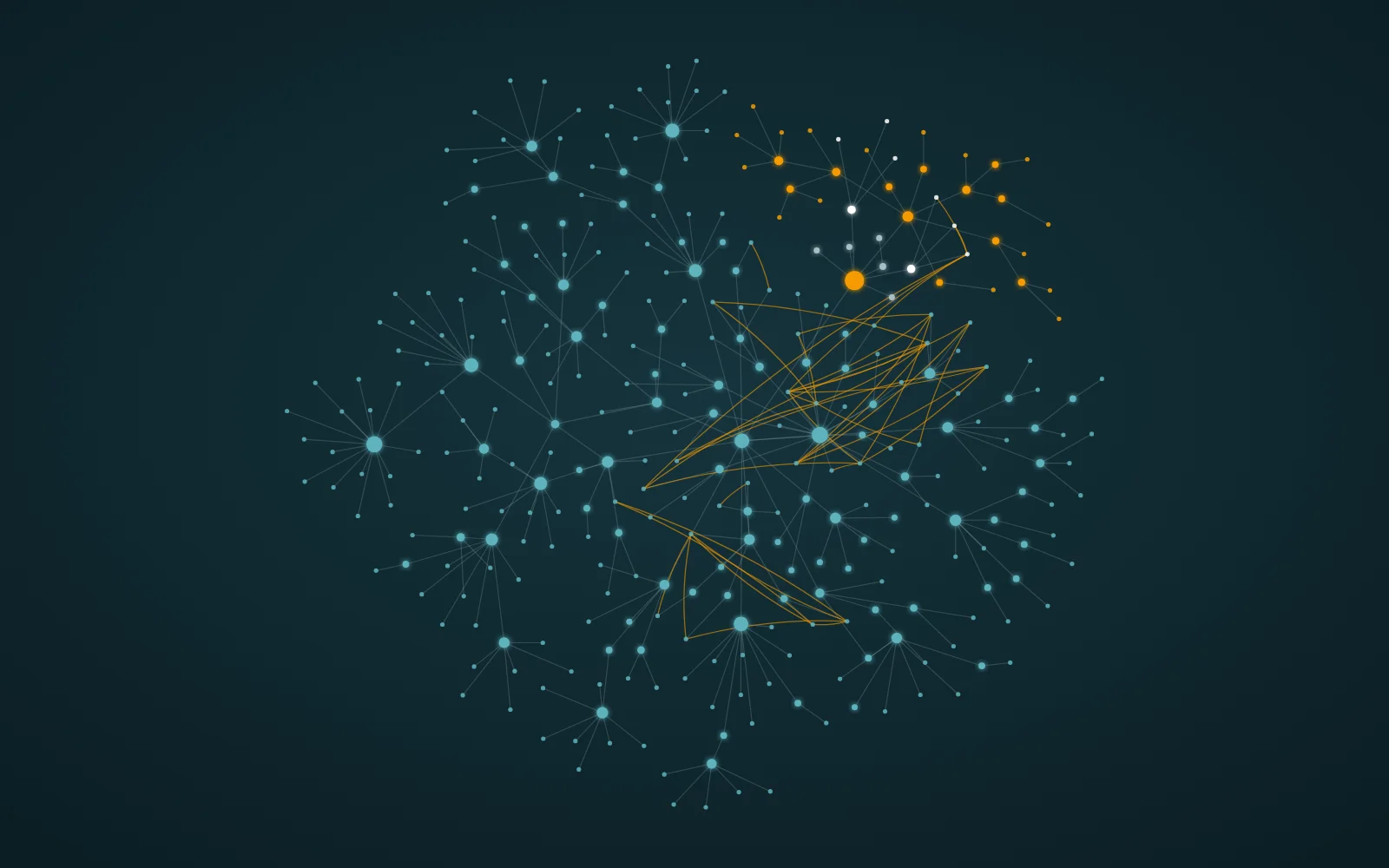
Map of Second Brain: every dot is a real note or folder, orange lines are links between notes
In design01 / 04

Mobile strategy game

The idea

A strategy game rooted in cultural heritage

Turn-based strategy for phones, played in short sessions. The setting comes from real history and old beliefs, so playing it means learning how people lived, fought and believed, without a lecture.

  • History as the backbone, myth as the seasoning
  • Every fact tagged by source: archaeology, later chronicle or folklore
  • Paper-cut art by a partner artist, plus a shop that promotes illustrators
  • Planned with cultural and educational grants in mind
Combat analysis panel on a phone: tactical grid used to test unit balance
Combat analysis panel: a workshop tool for testing the rules, not the final look of the game.
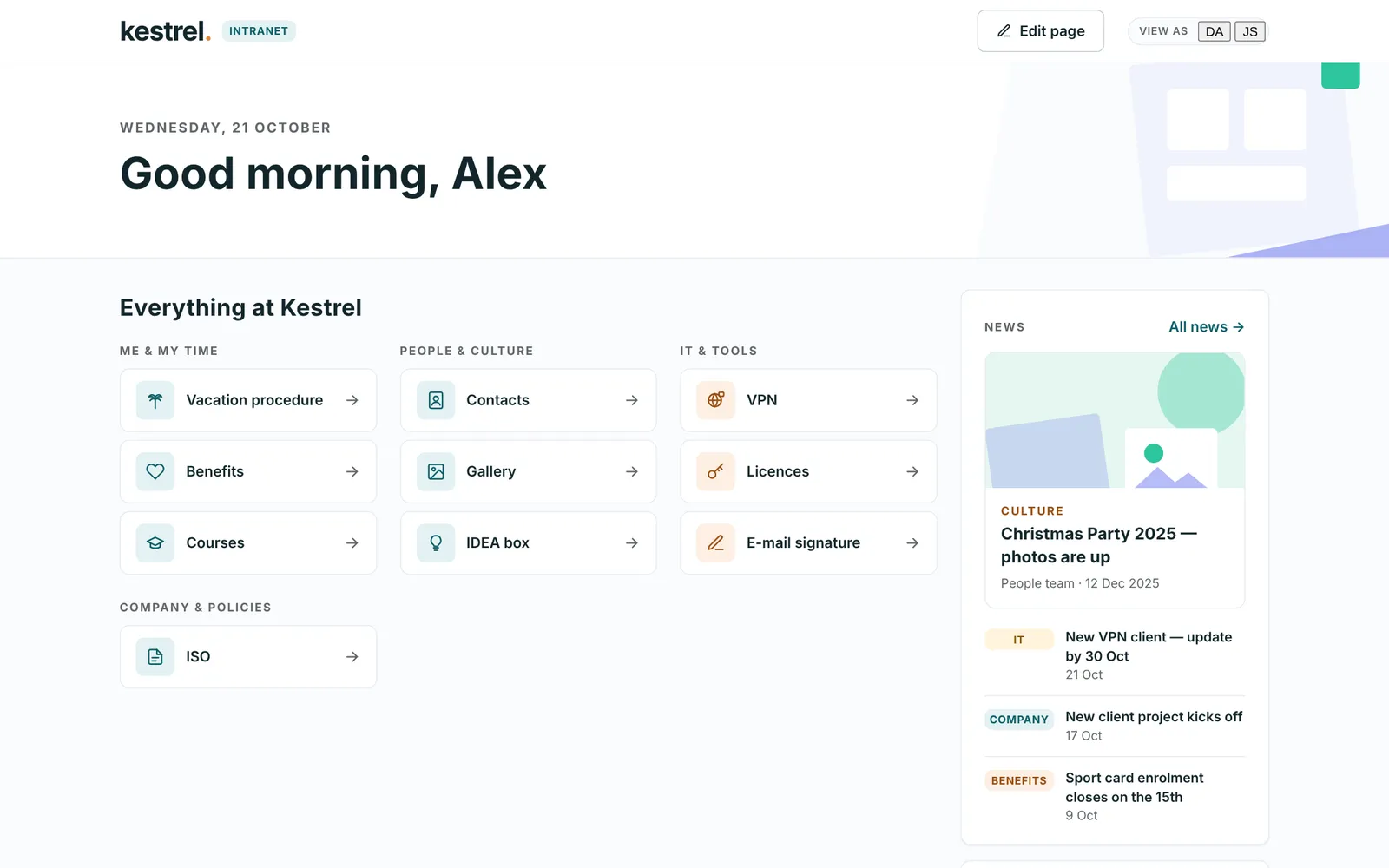
Company intranet home: tiles for vacation, benefits, VPN and a news feed
Before: a Word document of links to more Word documents (reconstruction).

In development

01 / 02

Company intranet

Before

A pro bono intranet for a software company of about 90 people, replacing a Word document full of links to more Word documents. Name and branding changed here.

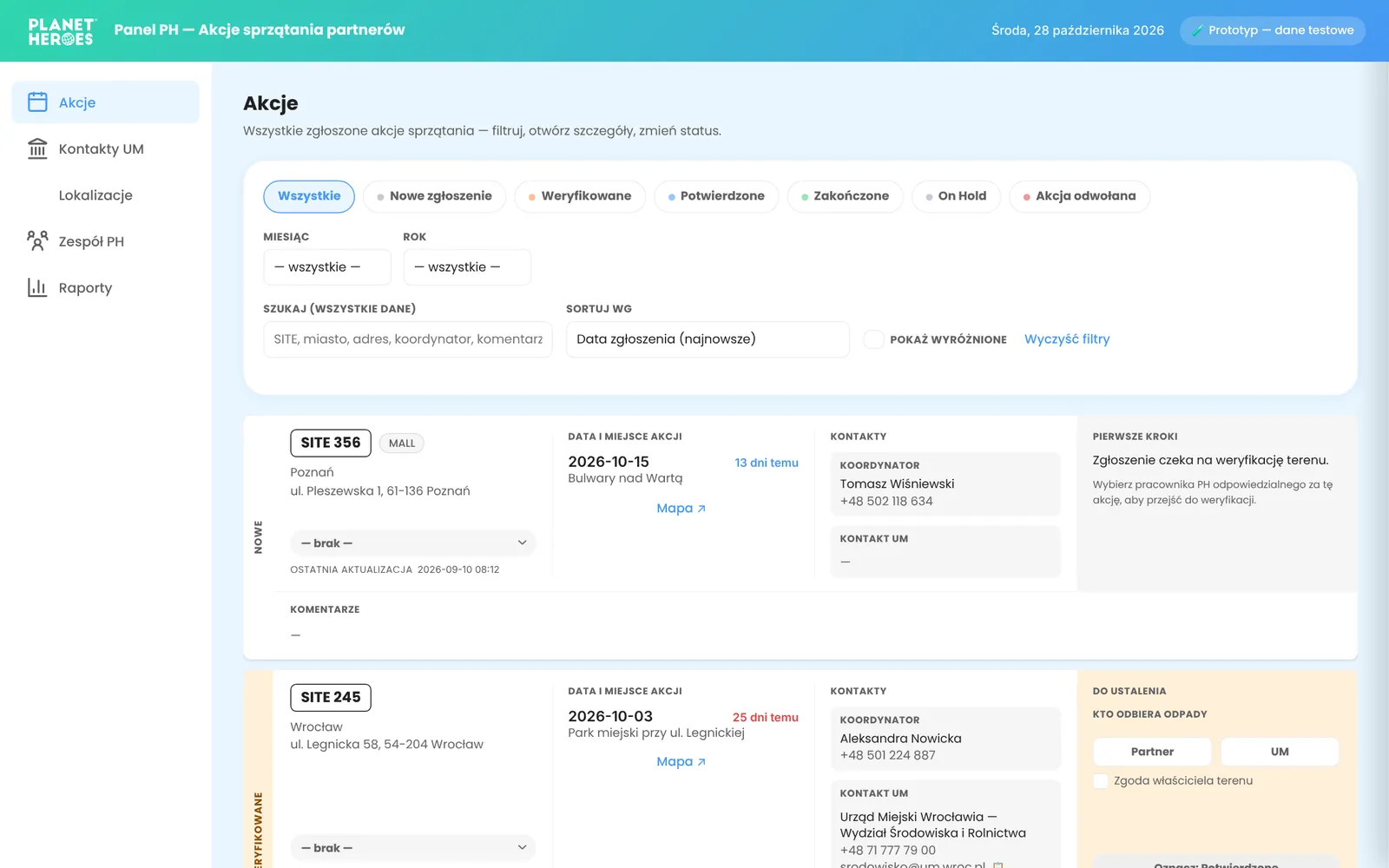
Planet Heroes back office: list of cleanup actions with status filters

In development

Planet Heroes cleanup back office

A panel for an eco platform’s team to run corporate cleanup actions, from the first report to the finished event.

  • Status pipeline, filters, contacts and team management
  • Maps with the cleanup area drawn as a shape, not just a pin
  • Prototype rebuilt in Angular; report form built into the main platform
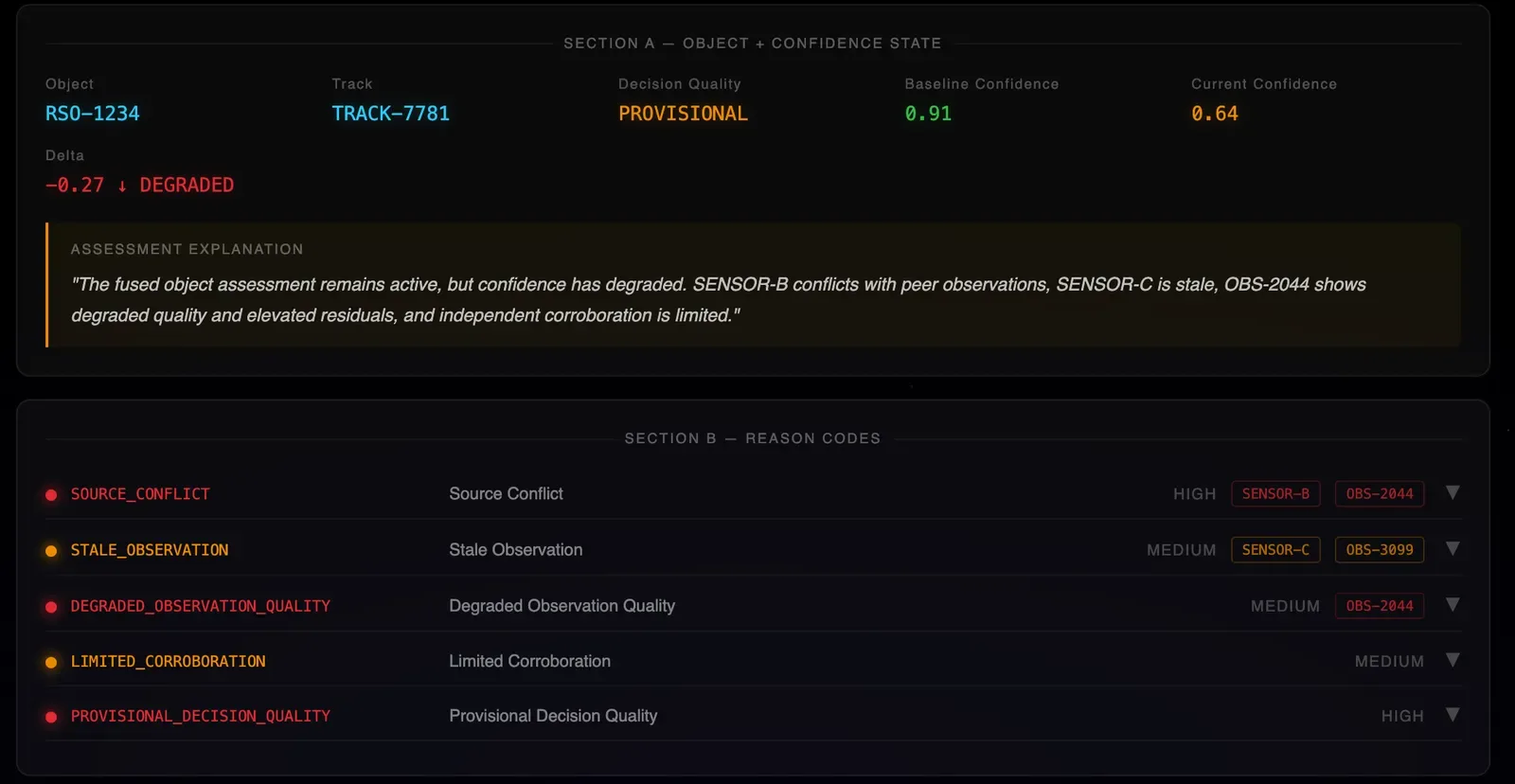
SDA Command Console: confidence state and reason codes for a tracked orbital object

Live demo

SDA Command Console

A concept console for space domain awareness, made for a client’s discovery talks. It shows operators how far to trust an orbital assessment, and why.

Check it out ↗
Portrait of Dan Adamiak

How I work

Fifteen years before design: IT administration, network security, marketing, e-commerce, my own businesses in Spain. It taught me to see the whole system behind a screen: people, money, infrastructure. I bring order to messy problems: one source of truth per project, written decisions, nothing lost between meetings.

  1. 01

    Research & Discovery

    I start from how people actually work. For the dog behaviorist finder that meant a study with 30 participants; for the hospital system, the routines of nurses and technicians.

  2. 02

    A written brief

    Before any code: scope, data model and microcopy on paper. It keeps me honest about what the product is not.

  3. 03

    A clickable prototype

    One HTML file that behaves like the real thing. It becomes the source of truth for the interface and every label in it.

  4. 04

    Build in stages

    A modern web stack, a real database and continuous deploys. Every stage ends with something working, and every decision is written down.

UX case studies

From a blank page to a shipped product, and from legacy to usable. Research, user interviews, usability tests and analysis behind every screen.

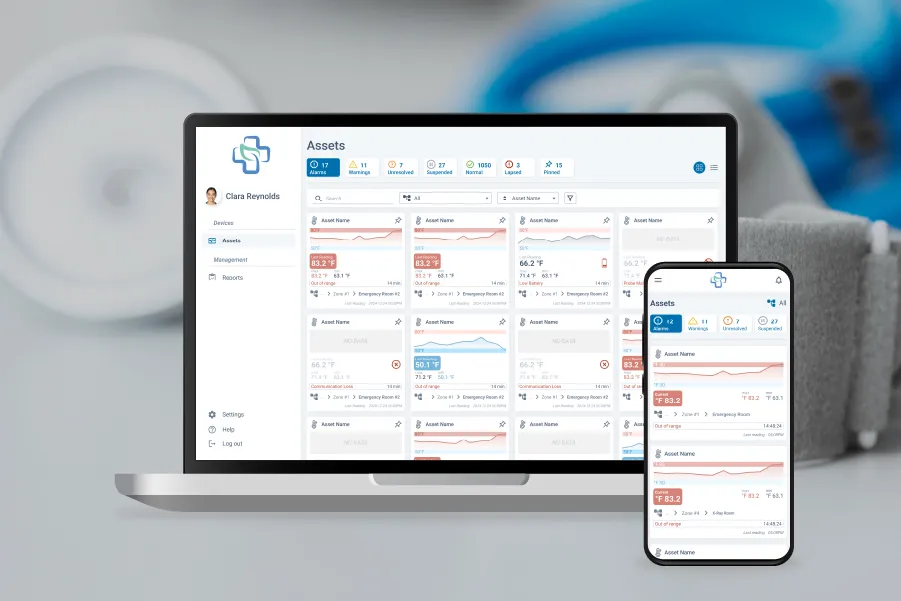
Asset monitoring dashboard with alarm and warning tiles

Hospital Asset Monitoring

Healthcare B2B · End-to-end UX · Legacy rebuild

An outdated equipment-tracking system for hospitals, redesigned almost from scratch around how nurses and technicians actually work. Fewer steps to handle an alert, same depth of data.
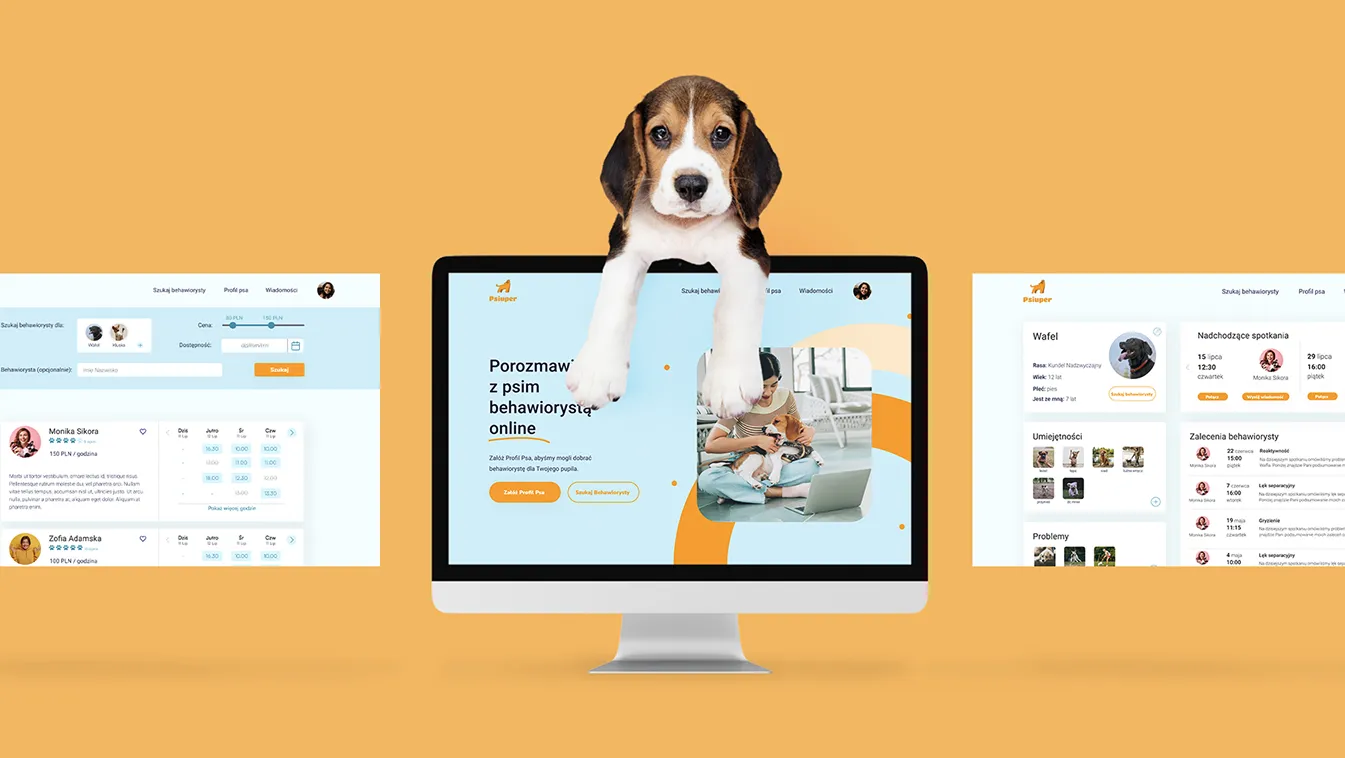
Dog behaviorist finder: search, profile and booking screens

Dog Behaviorist Finder

Consumer · UX lead in a team of three

A way to find and book dog behaviorists, new to the Polish market. Research with 30 participants put ratings and recommendations at the centre of the product.

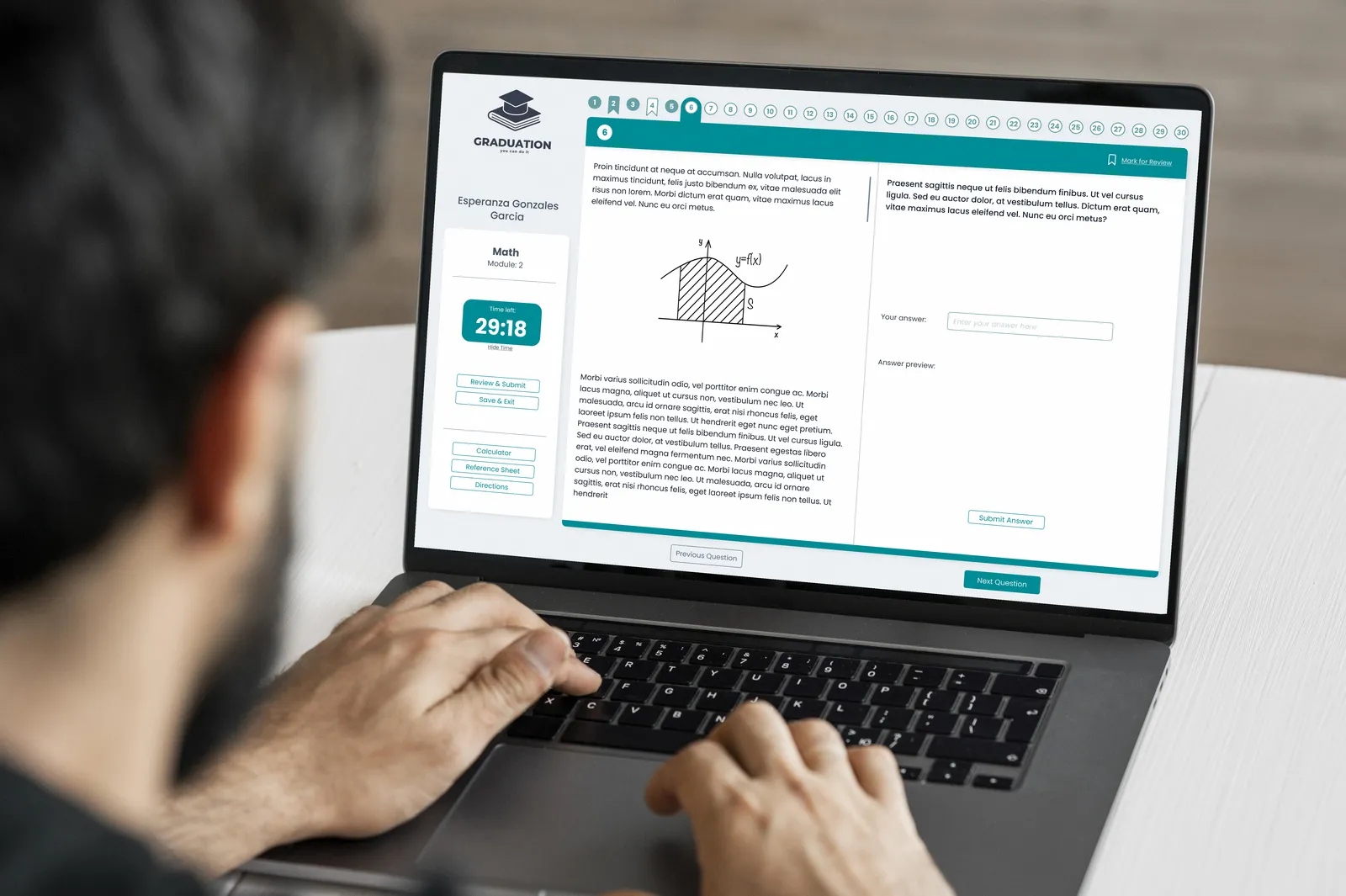
Student taking a timed SAT practice test on a laptop

SAT Test Environment

EdTech · UX research, UI design

A practice platform built from scratch: a distraction-free test screen that mirrors the real exam, plus a progress dashboard for students and coaches.

Oil rig logistics dashboard on a laptop

Oil Rig Logistics

Enterprise · UX research, UI design

A cluttered logistics platform for offshore rigs, rebuilt for two very different users: field crews who need speed and office teams who coordinate several rigs at once. Delivered in three months, tested with employees along the way.

Have a product to untangle?

I’m open to product design and AI prototyping projects. Tell me what you’re working on.